
Invoice Chaos Isn't a Metaphor — It's Your Team's Actual Day
Before automation, most AP teams live with the same three frustrations, every single cycle.
Manual Entry Steals AP Time
Every invoice means retyping the same fields by hand — vendor, amount, PO number, line items — across systems that don't talk to each other.
Exceptions Hide in Inboxes
Missing POs, unclear approvals, and mismatched documents pile up in email threads instead of a visible queue anyone can act on.
Errors Reach Approval and Payment
Without consistent validation, mistakes made at data entry don't get caught — they travel all the way to the approval and payment stage.
DocuSense turns those documents into validated, reviewable, ERP-ready data.
One Promise, Not Five Overlapping Definitions
From invoice to ERP-ready entry — capture, validate, route and approve with AI, while keeping humans in control.
What DocuSense Replaces
What You Get Instead
One Simple Flow, From Document to ERP
No need to reconstruct the process yourself — this is the entire journey, start to finish.
Capture
Invoices arrive from any channel — email, upload, or integration — and enter DocuSense automatically, no manual sorting required.
Invoices arrive from any channel — email, upload, or integration — and enter DocuSense automatically, no manual sorting required.
AI reads every field, checks it against your PO and vendor records, and flags anything that doesn't match — before it reaches approval.
Clean invoices move straight to the right approver. Exceptions land in a visible queue instead of an inbox no one is watching.
Approved records post directly into your ERP as structured, audit-ready entries — with every step traceable after the fact.
Document Intake
The raw invoice or document is received and queued for processing.
What Changes for Your AP Team
Six modules, working together — each one replacing a piece of the manual process.
Capture Every Invoice Automatically
No more manually opening emails or portals to find new invoices.
- Accepts email, upload, and integration sources
- Auto-classifies document type on arrival
- Zero manual sorting before processing begins
Catch Mismatches Before Approval
Every invoice is checked against your records before anyone signs off.
- 3-way match against PO and goods receipt
- Vendor and duplicate-invoice detection
- Flags land in a queue, not an inbox
Turn Documents Into Clean Data
Structured, validated fields — ready for approval, not retyping.
- Line-item and header field extraction
- Consistent formatting across vendors
- Confidence scoring on every extracted field
Handle Exceptions Without Losing Track
Corrections happen in one place, with a full record of what changed.
- Guided resolution for mismatched fields
- Every edit logged against the original document
- No more re-keying from scratch
Route Approvals to the Right Person
Clean invoices move automatically; only exceptions need a human decision.
- Rule-based routing by amount or vendor
- Role-based sign-off with a visible trail
- Nothing sits waiting in someone's inbox
See Every Invoice in One Place
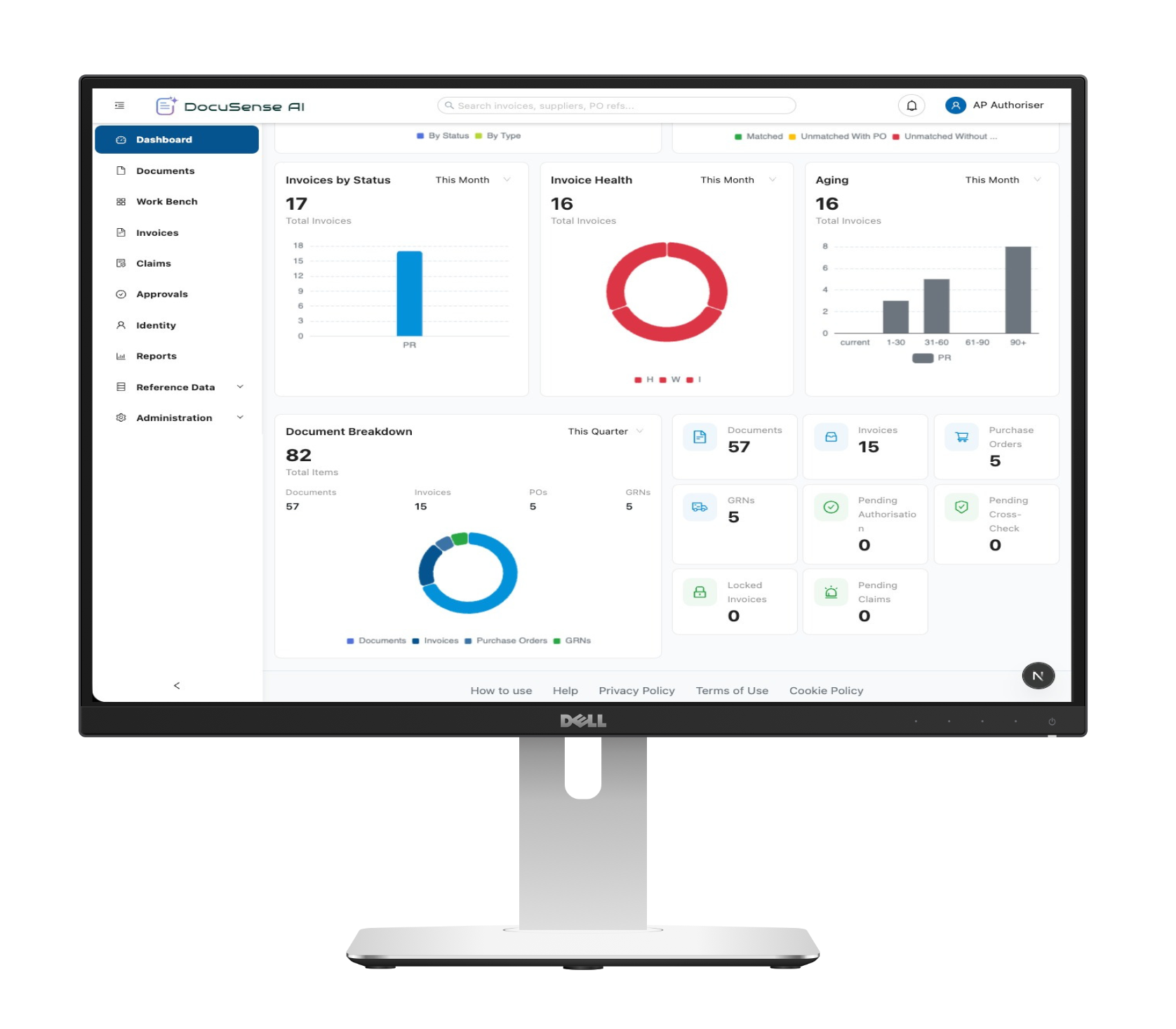
One dashboard for status, exceptions, and history — no spreadsheets.
- Real-time status across the full AP cycle
- Searchable audit trail per document
- Dashboards for AP leads and finance
What Changes After DocuSense
No invented numbers — just what actually gets better for your AP team, day to day.
Less Manual Entry
Fields are captured and validated automatically, so your team stops retyping the same data across systems.
Faster Cycle Times
Clean invoices move straight to approval instead of waiting in a queue for someone to check them by hand.
Fewer Exceptions
Mismatches are caught at validation — before they turn into an approval delay or a payment mistake.
Audit-Ready Control
Every change is traceable to its source document, so answering an audit question doesn't mean reconstructing history.
Once customer-validated metrics are available — cycle-time reduction, straight-through rate — they'll replace these directional outcomes.
Trusted With Financial Documents
AP automation only works if you trust it with your invoices — here's what backs that trust.
Human-in-the-Loop
Every exception routes to a person before it moves forward. AI assists — it doesn't decide alone.
Immutable Audit Trail
Every action on every document is logged and traceable, from capture to ERP entry.
Role-Based Approval
Approval rights follow your existing structure — no one sees or signs off on more than they should.
Data Handling & Security
Documents and extracted data are handled under controls built for financial information.
Built With / Integrates Alongside
Deploy It Your Way
DocuSense adapts to your infrastructure, your hardware, and your compliance requirements — not the other way around.
Deploy Anywhere
Ready to deploy on Azure, GCP, Modal, or fully self-hosted on your own infrastructure.


Runs on Your Hardware
NVIDIA GPU support for accelerated inference, and Apple Silicon support for local and edge deployments.


Inference Your Way
Fully self-hosted AI inference — or plug in 3rd-party inference APIs on demand.


100% Data Security Compliance
Your data never leaves your infrastructure — fully compliant with organizational security requirements, on-premise, cloud, or hybrid.
Built for the Efficiency
Find yourself first — then see how it applies to your industry.
CFO / Finance
Get visibility into AP spend and cash flow without waiting on manual reports.
Accounts Payable
Process hundreds of supplier invoices without expanding AP headcount.
Controller
Close the books faster with clean, validated invoice data ready on time.
Shared Services
Run one consistent AP process across multiple entities and regions.
Operations / Procurement
Keep purchase orders and invoices matched, without chasing approvals manually.
IT
Deploy an AP tool that fits existing ERP and security requirements out of the box.
From OCR to Controlled AP Automation
Many tools can extract text. The real question is what happens to that data next.
Connects to Your Systems
DocuSense integrates with the platforms your teams already use, so extracted data flows straight into your workflows.
ERP Systems
Post documents, journals, invoices, and master data updates directly into your ERP.
CRM & Customer Apps
Feed customer documents, forms, and KYC data into CRM and onboarding platforms.
SRM & Procurement
Power your source-to-pay process with intelligent document processing for vendors and invoices.
Don't see your system? DocuSense offers REST APIs and custom connectors for bespoke integrations.
Reconcile Statements Automatically
DocuSense reads bank statements, vendor statements, and ledger exports, then matches transactions, flags exceptions, and accelerates month-end close.
Extract transactions, dates, amounts, and references from any statement format.
Compare bank entries against ERP ledger records with fuzzy matching.
Post matched transactions directly to your accounting system.
Surface unmatched items, duplicates, and variances for quick review.
Frequently Asked Questions
Get answers to the most common questions about DocuSense AI.